
Author: Adam Simmons
Last updated: February 7th 2026
Our key up to date recommendations are given in the table below, grouped by size. Note that some models here are listed as ‘8-bit’ as this reflects the panel capabilities, but can still achieve 10-bit via scaler dithering.
As an Amazon Associate I earn from qualifying purchases made using “Buy” buttons on this page. Where possible, you’ll be redirected to your nearest store. Further information on supporting our work.
BenQ PD2706U (27″ 60Hz IPS, 3840 x 2160)

BenQ PD2706U
- 27″ IPS panel
- 3840 x 2160 (‘4K’ UHD)
- 10-bit colour support
- Flicker-free WLED backlight
- 95% DCI-P3 colour gamut and 350 cd/m² (SDR) peak luminance
- Light to very light matte anti-glare screen surface
Additional points:
- 60Hz
- 5ms grey to grey response time
- HDMI 2.0, DP 1.4, USB-C (90W PD, DP Alt Mode, upstream data), USB-C downstream, 3 USB 3.2 Gen 1 ports (plus Type-B upstream), 3.5mm headphone jack
- 2 x 2.5W speakers
- Screen is fully adjustable with 100 x 100mm VESA support
Why choose this monitor:
The BenQ PD2706U provides a 95% DCI-P3 colour gamut with Pantone Validated and Calman Verified calibration (specified DeltaE ≤ 3). Uniformity Compensation (UC) is also included to even out brightness and colour temperature at various points of the screen. This model is a strong performer within the sRGB and DCI-P3 colour spaces, but as with any model accuracy can be further tightened via calibration using your own colorimeter or alternative device. A range of well-tuned Low Blue Light (LBL) settings focusing on viewing comfort are also included, with ‘Hotkey Puck G2’ allowing intuitive OSD navigation.
Basic HDR10 support is included at the VESA DisplayHDR 400 level, facilitating work with HDR10 content and allowing 10-bit colour support to be leveraged with a slight brightness boost to ~400 cd/m². The monitor lacks local dimming to enhance contrast, so it’s very limited in this role. The 3840 x 2160 (‘4K’ UHD) resolution and 27″ screen size provides a tight pixel density for excellent detail and clarity. This is complemented by a light to very light matte anti-glare screen surface, allowing relatively direct emission of light compared to some matte surfaces. The stand includes a solid-feeling coated metal base, with full ergonomic flexibility provided. USB-C connectivity with 90W PD, additional USB ports and KVM integration are also included, for convenience.
Further reading:
ASUS ProArt PA278QGV (27″ 120Hz IPS, 2560 x 1440)

ASUS ProArt PA278QGV
- 27″ IPS panel
- 2560 x 1440 (QHD or 1440p)
- True 8-bit
- Flicker-free WLED backlight
- 95% DCI-P3 colour gamut and 350 cd/m² peak luminance
- Light to very light matte anti-glare screen surface
Additional points:
- 120Hz (48 – 120Hz VRR, FreeSync + G-SYNC Compatible)
- 5ms grey to grey response time
- HDMI 2.0, DP 1.4, 3.5mm headphone jack, 4 USB 3.2 Gen 1 ports (2 at bottom of monitor for easy access) plus Type-B upstream.
- 2 x 2W speakers
- Tilt (5° forwards, 23° backwards), height (130mm or 5.12 inches), swivel (30° left, 30° right) and pivot
Why choose this monitor:
The ASUS ProArt PA278QGV provides a 95% DCI-P3 colour gamut and complete sRGB coverage, offering good support for both the sRGB and DCI-P3 colour spaces. Preset modes for multiple colour spaces are included such as sRGB, DCI-P3 and Adobe RGB (although gamut coverage for the latter is far from complete). The monitor is Calman Verified with DeltaE <2 colour accuracy, but as usual we'd recommend calibration with your own equipment for the best results. Contrast is relatively strong for the panel type, with 1500:1 specified. An ambient light sensor is also included which allows the screen to adjust its image automatically according to ambient lighting.
The monitor also features a 2560 x 1440 (QHD or 1440p) resolution with a light to very light matte screen surface and relatively smooth finish. This provides respectable clarity and detail for a variety of content and keeps lighter shades free from obvious graininess. Basic HDR10 support is offered, whilst the monitor includes 120Hz refresh rate to significantly boost fluidity over 60Hz. Some will find this welcome even on the desktop. Pixel responses are sufficiently rapid for a good experience at this refresh rate, whilst Adaptive-Sync VRR support is included. The screen offers excellent ergonomics, alongside a flexible OSD system including multiple gamma and colour temperature settings (alongside the aforementioned colour space emulation modes).
Further reading:
BenQ PD3205U (31.5″ 60Hz IPS, 3840 x 2160)
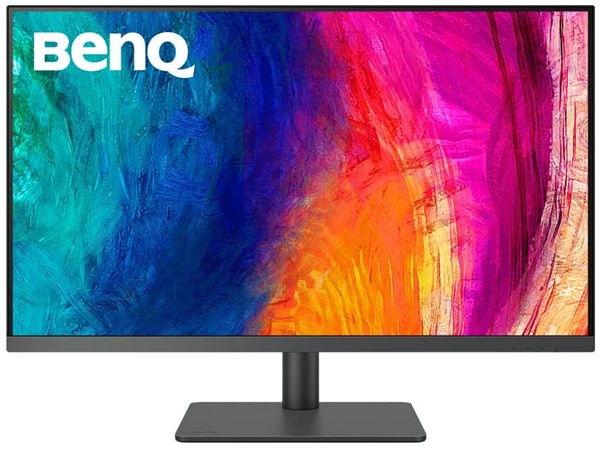
BenQ PD3205U
- 31.5″ IPS panel
- 3840 x 2160 (‘4K’ UHD)
- 10-bit colour support
- Flicker-free WLED backlight
- ~sRGB colour gamut and 250 cd/m² (SDR) peak luminance
- Light to very light matte anti-glare screen surface
Additional points:
- 60Hz
- 5ms grey to grey response time
- HDMI 2.0, DP 1.4, USB-C (90W PD, DP Alt Mode, upstream data), 3 USB 3.2 Gen 1 ports (plus 2 Type-B upstream), 3.5mm headphone jack
- 2 x 2.5W speakers
- Screen is fully adjustable with 100 x 100mm VESA support
Why choose this monitor:
The BenQ PD3205U provides a 99% sRGB colour gamut with Pantone validated sRGB calibration and specified DeltaE ≤ 3. Uniformity Compensation (UC) is also included to even out brightness and colour temperature at various points of the screen. There’s no wide gamut support, but this model performs well within the sRGB colour space. As usual, the accuracy can be further improved by calibrating the monitor using your own colorimeter or alternative device. Various well-tuned Low Blue Light (LBL) settings are included to potentially improve viewing comfort are also included, whilst intuitive control of the OSD is afforded by the ‘Hotkey Puck G2’.
The monitor responds to HDR10 content in a basic way, allowing 10-bit colour support to be leveraged with a slight brightness boost to ~350 cd/m². There’s no local dimming to enhance contrast and the gamut is very limited by HDR standards, though – so its HDR capability is far from strong. The 3840 x 2160 (‘4K’ UHD) resolution and 31.5″ screen size provides an excellent pixel density for pleasing detail and clarity, with a nice amount of ‘desktop real-estate’. It’s a combination many find very practical for work purposes. This is complemented by a light to very light matte anti-glare screen surface, allowing relatively direct emission of light compared to some matte surfaces. The stand includes a solid-feeling coated metal base, with full ergonomic flexibility provided. For added convenience, USB-C connectivity with 90W PD and 2 additional Type-B upstream ports plus KVM integration are also included.
Further reading:
ViewSonic VP3881a (37.5″ 60Hz curved IPS, 3840 x 1600)
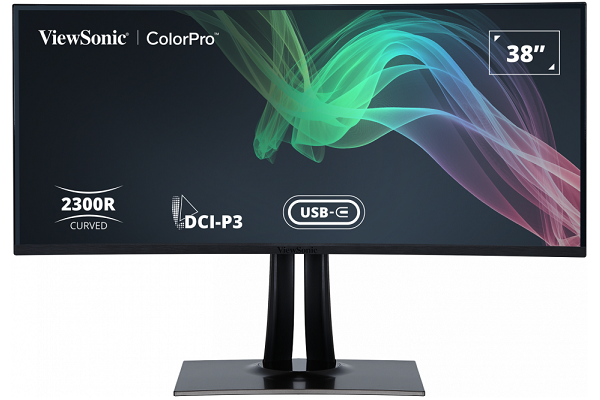
ViewSonic VP3881a
- 37.5″ IPS panel (LG Display LM375QW1-SSB1 IPS)
- 2300R curve
- 3840 x 1600 (UWQHD+ – 21:9 ultrawide)
- 10-bit (8-bit + FRC)
- Flicker-free WLED backlight
- ~95% DCI-P3 colour gamut and 300 cd/m² peak luminance
- Light matte anti-glare screen surface
Additional points:
- Basic HDR10 support
- 60Hz
- 5ms grey to grey response time
- USB-C (90W PD, DP Alt Mode, upstream data) 2 HDMI 2.0 ports, DP 1.4, 3.5mm audio output, 3.5mm audio input, 3 USB 3.2 Gen1 ports (plus upstream)
- 2 x 5W speakers
- Screen includes tilt, swivel and height adjustment with 100 x 100mm VESA support
Why choose this monitor:
The ViewSonic VP3881a combines a 3840 x 1600 (UWQHD+) resolution with strong sRGB colour accuracy and ~95% DCI-P3 coverage for wider colour space work. The pixel density delivered is very good – similar to a 27″ QHD model, with extra horizontal real-estate. The monitor includes a ‘Pantone validated’ factory calibrated with a specified DeltaE <2 and includes a Uniformity Compensation (UC) feature which can be activated to enhance brightness and colour temperature uniformity across the screen. A 2300R (gentle) curve is included to draw you in just a little bit and potentially aid viewing comfort. 10-bit colour is supported via 8-bit + FRC with a 14-bit hardware addressable 3D LUT to enhance precision. Hardware calibration is supported using a compatible calibrator, including a range or X-Rite and Datacolor devices.
The screen surface is light matte anti-glare with a relatively smooth finish, keeping lighter content free from unwanted graininess and helping preserve clarity and vibrancy. Basic HDR10 support is provided, allowing the colour gamut and 10-bit colour capability to be put to use. The colour gamut and backlight capability is not appropriate for actual HDR output, however. USB-C connectivity is included with a generous 90W Power Delivery. Last but not least, the screen is solidly built with good ergonomic flexibility.
Further reading:
This list is heavily condensed; look out for the recommended or approved badge in our reviews as well. You can sort our reviews by badge status and various other features there.
Accurate colour output is key when it comes to editing photos and videos, certain design work and other content creation. We’ll often refer to this as ‘colour-critical work’. Even for editing at the hobbyist level, we consider accurate colour output the key area to focus on. As such, our recommendations here focus on models with IPS-type panels. These are unmatched by other LCD panel types when it comes to accurate colour output, particularly with respect to colour consistency. You want accurate colour representation throughout the screen, not just in a small central area that may be calibrated to perfection. Non-LCD screens such as OLED are very strong in this area, whilst also offering exceptional contrast. Helping to bring out subtle dark details and distinctions. Penetration of OLED into the monitor market is a slow and ongoing process. For now, such models come at a significant premium and are restricted to a select few models. HDR capability is also increasing, with complex backlighting solutions helping IPS models overcome some of their traditional contrast limitations. There is again a premium attached to such ‘exotic’ technology.
Confused about the terminology? Check out our dedicated guide on the topic.