
Author: Adam Simmons
Last updated: October 12th 2026
Our key up to date recommendations are given in the table below, grouped by size.
As an Amazon Associate and Newegg Affiliate I earn from qualifying purchases made using “Buy” buttons on this page. Where possible, you’ll be redirected to your nearest store. Further information on supporting our work.
ASUS ROG Strix OLED XG27AQDMGR (26.5″ 240Hz WOLED, 2560 x 1440)
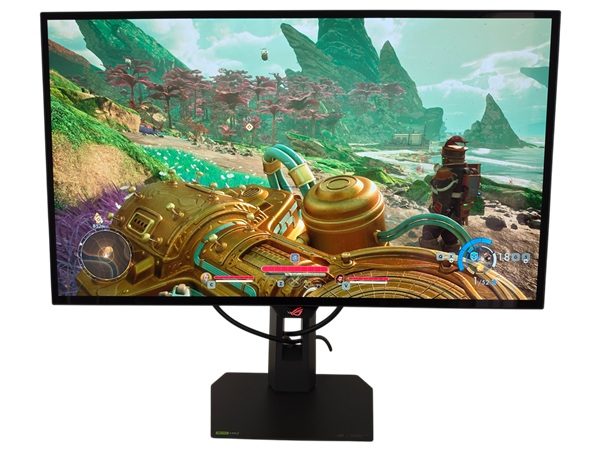
ASUS ROG Strix OLED XG27AQDMGR
- 26.5″ OLED panel (LG Display WOLED)
- 2560 x 1440 (QHD or 1440p)
- 240Hz (48 – 240Hz VRR, FreeSync Premium Pro + G-SYNC Compatible + HDMI 2.1 VRR)
- 120Hz 1440p and 1080p support for the Xbox Series X/S and PS5
- 120Hz ‘4K’ UHD (downsampling) support for the Xbox Series X and PS5
- 0.03ms grey to grey response time
- VESA DisplayHDR True Black 400
Additional points:
- ‘TrueBlack’ glossy screen surface with anti-reflective treatment
- PWM-free (flicker-free) WOLED
- ~99% DCI-P3 colour gamut and 300 cd/m² (SDR) peak luminance
- ~1300 cd/m² HDR peak luminance
- 2 HDMI 2.1 ports, DP 1.4, 3.5mm headphone jack, 2 USB 3.2 Gen 1 ports (plus Type-B upstream)
- Screen is fully adjustable with 100 x 100mm VESA support
Why choose this monitor:
The ASUS ROG Strix OLED XG27AQDMGR (XG27AQDMG ‘Gen2’) provides vivid output from its 26.5″ WOLED panel. Pixel-level dimming provides exceptional precision, delivering strong contrast far beyond what LCDs provide. The ‘TrueBlack’ glossy screen surface is more reflective than QD-OLED alternatives, but avoids the same lightening up of dark shades in brighter ambient conditions. The resulting image is crisp and inky-looking whilst being free from the layering, graininess or hazing associated with matte alternatives. The screen size and resolution delivers good clarity and detail levels to gaming environments, with a size many will be comfortable with for both competitive and non-competitive play. The WOLED panel provides pleasing colour consistency with generally lower ‘DSE’ (‘Dirty Screen Effect’) or dark grey banding than competing Tandem WOLED alternatives. Combined with a wide gamut (strong DCI-P3 coverage), the monitor delivers good vibrancy levels throughout the screen – with effective sRGB emulation for those who wish to tone things down. The SDR brightness is sufficient for most, with ~260 cd/m² (up to ~265 – 430 cd/m² with ‘UniformBrightness’ disabled) reliably measured.
The monitor puts its 240Hz refresh rate to excellent use, with an exceptional (‘visually flawless’) pixel response performance free from conventional LCD pixel response time weaknesses or overshoot. Input lag is also exceptionally low, helping you feel properly ‘connected’ when gaming. VRR support is included via Adaptive-Sync (Nvidia ‘G-SYNC Compatible’ and AMD FreeSync Premium Pro) and via HDMI 2.1 VRR, with a ‘4K’ UHD downsampling mode at up to 120Hz to improve console compatibility. Under HDR the monitor puts its excellent contrast to good use, with decent brightness output for an OLED combined with the ability to maintain this across a broad range of scenes (or APL / Average Picture Level ranges) without significant medium shade dimming. HDR configuration options are also highly flexible with unlocked brightness, colour channel and saturation sliders. The monitor has a simple but solid design, good screen adjustability and a flexible OSD system including an effective Low Blue Light (LBL) setting with plenty of ‘OLED Care’ options. It’s also priced competitively in the segment.
Further reading:
Innocn GA27T1M (27″ 320Hz+ IPS, 2560 x 1440)
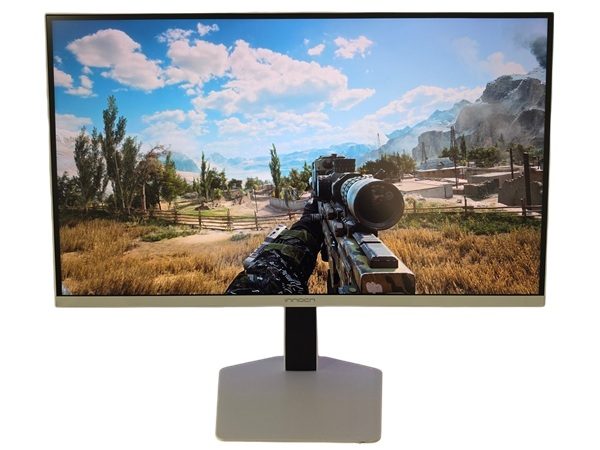
Innocn GA27T1M
- 27″ IPS panel
- 2560 x 1440 (QHD or 1440p)
- 320Hz+ (48 – 320Hz+ VRR, FreeSync + G-SYNC Compatible + HDMI 2.1 VRR)
- 120Hz 1440p support for the Xbox Series X/S and PS5
- 120Hz 1080p and ‘4K’ UHD (downsampling) support for the Xbox Series X and PS5
- 1ms grey to grey response time
- ‘HDR1000’
Additional points:
- Light to very light matte anti-glare screen surface
- PWM-free (flicker-free) QD LED backlight
- ~96% DCI-P3 (~100% Adobe RGB) colour gamut and 450 cd/m² peak luminance (505 cd/m² measured)
- 1553 cd/m² HDR peak luminance (measured)
- 2 HDMI 2.1 ports, DP 1.4, 2 USB 3.0 ports (plus Type-B upstream), 3.5mm audio output
- Screen is fully adjustable with 100 x 100mm VESA support
- 2 x 3W speakers
Why choose this monitor:
The Innocn GA27T1M provides a dynamic HDR experience from its 1152-zone ‘Mini LED’ backlight and vibrant IPS panel. It offers strong bursts of brightness for some content, whilst dimming other areas of the screen significantly. Though not comparable to an OLED with per-pixel illumination for more intricate shade combinations, the monitor offers superior sustained brightness for bright-dominant scenes and can provide good depth and atmosphere to dark areas. The Mini LED solution can also be used alongside customisable brightness under SDR, enriching the contrast experience there. The screen size and resolution combination delivers good clarity and detail levels to game content and can provide decent immersion. The IPS panel offers strong colour consistency, combined with a generous gamut for strong vibrancy. sRGB, DCI-P3 and Adobe RGB emulation modes are also offered, providing good flexibility for colour-accurate output or simply to customise the look of content.
The monitor provides 320Hz (345Hz OC) with low input lag, whilst offering significantly faster pixel responses than competing VA alternatives. VRR is also supported via Adaptive-Sync (Nvidia ‘G-SYNC Compatible’ and AMD FreeSync) and via HDMI 2.1 VRR, tackling tearing and stuttering. A single overdrive mode experience (i.e. variable overdrive) is also included. The ‘MPCS Tech’ strobe backlight setting is relatively well-optimised to provide a competent and flexible blur-reduction experience, although it works less effectively under VRR. ‘4K’ UHD downsampling at up to 120Hz is also included to help bolster console compatibility – the Xbox Series X requires a ‘4K’ UHD signal for HDR. Low Blue Light (LBL) settings are included, potentially aiding viewing comfort. The monitor combines this with good ergonomics, a decent RGB LED lighting feature, a particularly solid-feeling stand base and feature-rich OSD. It’s priced competitively with OLED models in its category and offers an interesting alternative for those preferring the LCD route.
Further reading:
AOC AGON Pro AG276QSG2 (27″ 360Hz IPS, 2560 x 1440)
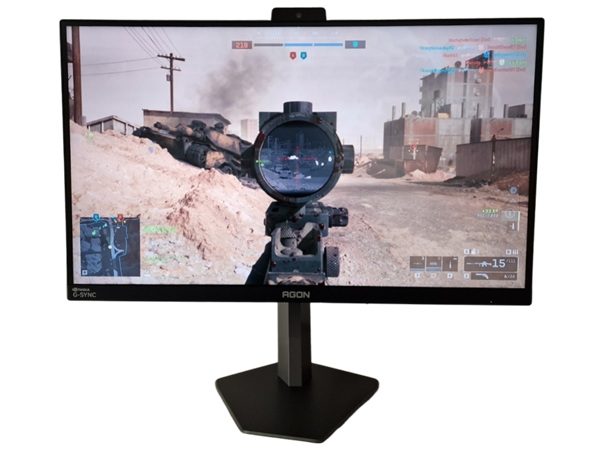
Innocn GA27T1M
- 27″ IPS panel
- 2560 x 1440 (QHD or 1440p)
- 360Hz (G-SYNC Pulsar + FreeSync + HDMI 2.1 VRR)
- 120Hz 1440p support for the Xbox Series X/S and PS5
- 120Hz 1080p and ‘4K’ UHD (downsampling) support for the Xbox Series X and PS5
- 1ms grey to grey response time
- Basic HDR10 support
- G-SYNC Pulsar
Additional points:
- Light to very light matte anti-glare screen surface
- PWM-free (flicker-free) WLED backlight
- ~90% DCI-P3 colour gamut and 450 cd/m² peak luminance (508 cd/m² measured)
- 2 HDMI 2.1 ports (no DSC), DP 1.4, 2 USB 3.0 ports (plus Type-B upstream), 3.5mm headphone jack
- Screen is fully adjustable with 100 x 100mm VESA support
- 2 x 2W speakers
Why choose this monitor:
The AOC AGON Pro AG276QSG2 provides a ‘full fat’ Nvidia G-SYNC experience via its MediaTek scaler. Key to this experience is ‘G-SYNC Pulsar’, combining a tightly tuned strobe backlight setting with VRR capability. We found this to be the most comfortable and well-optimised strobe backlight setting we’ve come across and it worked seamlessly with VRR. Outside of that, the IPS panel provides strong colour consistency with decent but not extreme vibrancy from the ~90% DCI-P3 colour gamut. The screen size and resolution combination offers good clarity and detail levels to game content, alongside decent levels of immersion. Low Blue Light (LBL) settings are included to potentially aid viewing comfort.
The monitor provides a convincing 360Hz performance, with a fast and well-tuned IPS panel including effective variable overdrive. This is combined with low input lag – and the aforementioned Pulsar capability which provides a significant clarity boost for a given frame rate (designed to look more like an LCD running ~4 times the frame and refresh rate). Whether used with or without Pulsar, VRR is supported via Adaptive-Sync (Nvidia G-SYNC and AMD FreeSync) as well as via HDMI 2.1 VRR. ‘4K’ UHD downsampling at up to 120Hz is also included to improve console compatibility. This is coupled with a fully adjustable stand with solid-feeling coated metal base, RGB LED lighting that can add some gentle ambience and multiple headphone hooks. The light sensor is also one of the best-tuned and most flexible solutions we’ve come across, allowing the screen to adjust its brightness and colour temperature according to ambient lighting.
Further reading:
MSI MPG 271QR QD-OLED X50 (26.5″ 500Hz QD-OLED, 2560 x 1440)
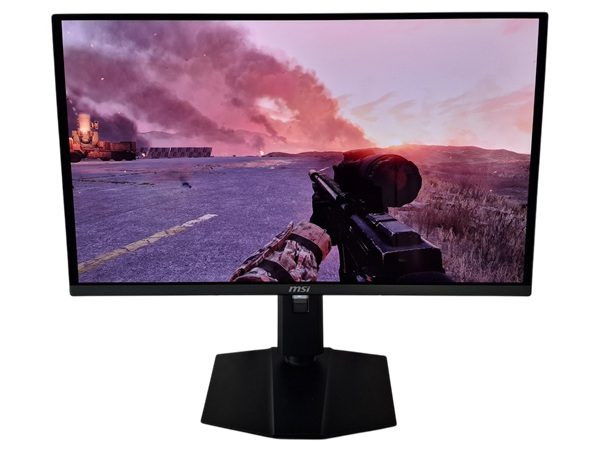
MSI MPG 271QR QD-OLED X50
- 26.5″ OLED panel (Samsung Display QD-OLED)
- 2560 x 1440 (QHD or 1440p)
- 500Hz (48 – 500Hz VRR, FreeSync + G-SYNC Compatible + HDMI 2.1 VRR)
- 120Hz 1440p and 1080p support for the Xbox Series X/S and PS5
- 120Hz ‘4K’ UHD (downsampling) support for the Xbox Series X and PS5
- 0.03ms grey to grey response time
- VESA DisplayHDR True Black 500
Additional points:
- Glossy screen surface with anti-reflective treatment
- PWM-free (flicker-free) QD-OLED
- ~99% DCI-P3 (~98% Adobe RGB) colour gamut and 300 cd/m² (SDR) peak luminance
- ~1000 cd/m² HDR peak luminance
- 2 HDMI 2.1 ports, DP 2.1 (UHBR 20), 3.5mm headphone jack, USB-C (DP Alt Mode, 98W PD, upstream data), 2 USB 3.2 Gen 1 ports (plus Type-B upstream)
- Screen is fully adjustable with 100 x 100mm VESA support
Why choose this monitor:
The MSI MPG 271QR QD-OLED X50 provides a vibrant experience from its 26.5″ QD-OLED panel. With its per-pixel illumination, the panel can ‘shut off’ some pixels whilst others remain suitably bright, providing exceptional contrast that’s particularly impressive compared to LCDs in dimmer lighting conditions. The glossy anti-reflective finish provides good reflection handling for a glossy screen, without the image being upset by hazing from diffused light, layering or graininess. The screen size and resolution provides good clarity and detail levels to game content, with a size that’s not too overwhelming for competitive play at the desk. The exceptional colour consistency of the QD-OLED panel combined with generous DCI-P3 plus Adobe RGB gamut provides highly vibrant colour throughout the screen. Effective and flexible sRGB, DCI-P3 and Adobe RGB colour space emulation settings allow you to tone things down if you want to. The brightness under SDR is sufficient for most, slightly above 300 cd/m² reliably measured which exceeds the more usual 250 cd/m² for QD-OLEDs.
The monitor makes excellent use of its 500Hz refresh rate, with an exceptional (‘visually flawless’) pixel response performance without perceivable weaknesses such as conventional trailing or overshoot. Input lag is also exceptionally low, helping you feel properly ‘connected’ when gaming. VRR support is also included via Adaptive-Sync (Nvidia ‘G-SYNC Compatible’ and AMD FreeSync) and via HDMI 2.1 VRR, with a ‘4K’ UHD downsampling mode at up to 120Hz to improve console compatibility. The per-pixel illumination is also put to good use under HDR, with a well-tuned experience on the colour side for good vibrancy but not strongly oversaturated output. Some decent bursts of brightness are also provided under HDR, with enhanced performance compared to most QD-OLED panels. A well-calibrated DisplayHDR True Black 500 setting gives a brightness boost we found noticeable (and welcome) compared to the more usual DisplayHDR True Black 400 standard. The monitor has a simple homely design with quite solid feel, good ergonomics, KVM support and a flexible OSD system. Plus an ‘AI Care Sensor’ to shut the screen off when nobody is looking at it. For those seeking a more relaxing viewing experience, effective Low Blue Light (LBL) settings are included.
Like the sound of this but want a matte screen? Consider the Samsung Odyssey OLED G60SF (Amazon link).
Further reading:
Our video review of the MAG 272QP QD-OLED X50 (similar core performance, fewer features)
Gigabyte M27UP (27″ 160Hz+ IPS, 3840 x 2160)
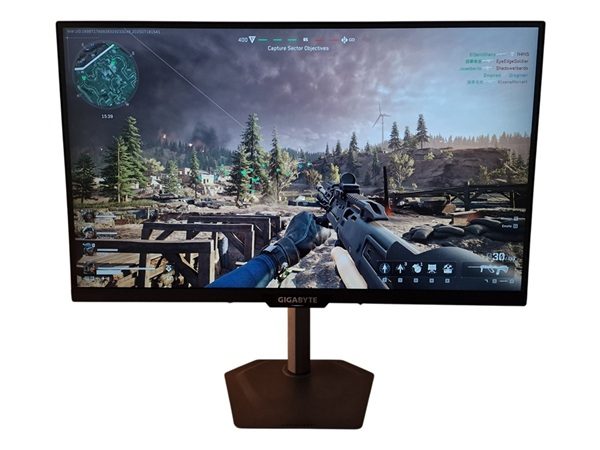
Gigabyte M27UP
- 27″ IPS panel (AUO AHVA)
- 3840 x 2160 (‘4K’ UHD)
- 160Hz (48 – 160Hz VRR, FreeSync + G-SYNC Compatible + HDMI 2.1 VRR)
- 320Hz FHD (48 – 320Hz VRR, FreeSync + G-SYNC Compatible + HDMI 2.1 VRR)
- 120Hz at up to ‘4K’ UHD for the Xbox Series X and PS5
- 1ms grey to grey response time
- VESA DisplayHDR 400
Additional points:
- Light to very light matte anti-glare screen surface
- PWM-free (flicker-free) WLED backlight
- ~90%+ DCI-P3 colour gamut and 350 cd/m²+ (462 cd/m² measured) peak luminance
- ~460 cd/m² HDR peak luminance
- 2 HDMI 2.1 ports, USB-C (18W PD, DP Alt Mode, upstream data), DP 1.4, 3 USB 3.2 Gen1 ports (plus Type-B upstream), 3.5mm headphone jack
- Fully adjustable stand. 100 x 100mm VESA mounting supported
Why choose this monitor:
The Gigabyte M27UP features a 27″ IPS-type panel with 3840 x 2160 (‘4K’ UHD) resolution and 160Hz refresh rate. ‘Dual mode’ support allows it to run up to 320Hz FHD (1080p) with a dedicated ‘dual mode’ switch. Full bandwidth HDMI 2.1 ports are included, allowing compatible games consoles such as the Xbox Series X and PS5 to run a 120Hz ‘4K’ UHD signal with VRR also supported. The monitor provides a very tight pixel density, giving excellent detail and clarity to games and other suitably high resolution image content. With a crisp look to text and other fine edges. The IPS-type panel plus WLED backlight solution provides a wide but not extreme gamut, ~90% DCI-P3 for consistent and fairly vibrant (but not extremely saturated) output. sRGB emulation is included if you wish to tone things down a bit or improve accuracy for standard content. Vibrancy and clarity potential is well-maintained by the light to very matte screen surface, without obvious layering in front of the image and just a light misty graininess. The included stand is fully adjustable with simple coated metal stand base, whilst USB-C is included with KVM support. The OSD is comprehensive and includes customisable shortcut key functions, with viewing comfort aided by Low Blue Light (LBL) settings and a very good brightness adjustment range (46 – 462 cd/m² measured).
The monitor provides decent overdrive across the VRR range using its ‘Auto’ setting, with various alternative settings to suit personal preferences. This is combined with low input lag for a fluid 160Hz+ experience. HDMI 2.1 VRR and Adaptive-Sync (AMD FreeSync Premium and Nvidia ‘G-SYNC Compatible’) are both supported. ‘Aim Stabilizer Sync’ is also offered, a strobe backlight setting which can work alongside VRR and works to minimise perceived blur – in our testing this proved to be a decent strobe backlight setting due to reasonable levels of central strobe crosstalk. The monitor responds to HDR10 content in a basic way, with VESA DisplayHDR 400 support. The brightness is rather limited by HDR standards and no local dimming is offered, so it’s a heavily compromised HDR experience. It gives a different look to things which some may like for a bit of variety from time to time, but we feel most will prefer the look and flexibility offered by SDR on this monitor. Overall this is a well-priced, flexible and capable monitor for both work and play.
Further reading:
ASUS ROG Strix OLED XG27UCDMG (26.5″ 240Hz QD-OLED, 3840 x 2160)
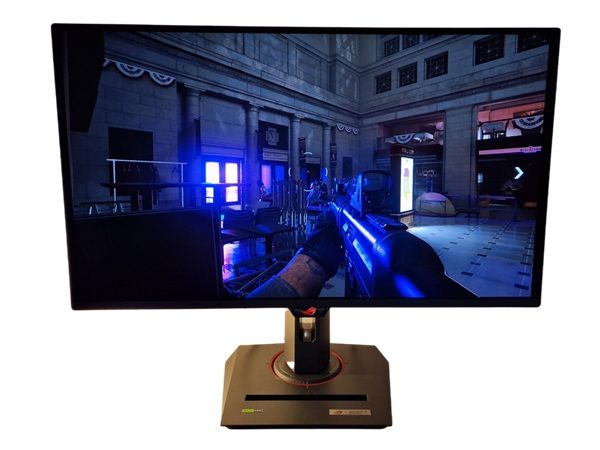
ASUS ROG Strix OLED XG27UCDMG
- 26.5″ OLED panel (Samsung Display QD-OLED)
- 3840 x 2160 (‘4K’ UHD)
- 240Hz (48 – 240Hz VRR, FreeSync Premium Pro + G-SYNC Compatible + HDMI 2.1 VRR)
- 120Hz at up to ‘4K’ UHD for the Xbox Series X and PS5
- 0.03ms grey to grey response time
- VESA DisplayHDR True Black 400
Additional points:
- Glossy screen surface with anti-reflective treatment
- PWM-free (‘flicker-free’) QD-OLED
- ~99% DCI-P3 (~92% Adobe RGB) colour gamut and 250 cd/m² (SDR) peak luminance
- ~1000 cd/m² HDR peak luminance
- 2 HDMI 2.1 ports, DP 1.4, USB-C (90W PD, DP Alt Mode, upstream data), 3 USB 3.2 Gen1 ports (plus Type-B upstream), 3.5mm headphone jack
- Fully adjustable stand with 100 x 100mm VESA mounting supported
Why choose this monitor:
The ASUS ROG Strix OLED XG27UCDMG provides strong vibrancy with exceptional contrast, particularly impressive compared to LCDs in dimmer lighting. The per-pixel illumination of the QD-OLED panel allows some pixels to remain off with adjacent pixels shining bright (or some way between those extremes). The 26.5″ 3840 x 2160 (‘4K’ UHD) screen provides an exceptional pixel density, delivering strong levels of detail and clarity. The exceptional OLED colour consistency combined with a generous gamut provides strong vibrancy throughout the screen. If you want to tone things down and clamp to various colour spaces, this is provided with a flexible (including adjustable colour channels) sRGB and DCI-P3 colour space emulation settings. HDMI 2.1 is supported, allowing compatible games consoles such as the Xbox Series X and PS5 to receive a 120Hz ‘4K’ UHD signal. USB-C is also included with KVM support and 90W PD.
A 240Hz refresh rate is supported, put to exceptionally good use with a ‘visually flawless’ pixel response performance and exceptionally low input lag. This is combined with VRR support via both HDMI 2.1 VRR and Adaptive-Sync, supporting technologies including AMD FreeSync Premium Pro and Nvidia ‘G-SYNC Compatible’. The monitor provides a dynamic HDR experience with per-pixel illumination, brightness pulses of up to ~1000 cd/m² for smaller bright elements and a generous gamut put to good use with 10-bit colour support. HDR modes are also included that provide an ‘uplifted’ look to some scenes – which some will prefer depending on preferences and room lighting. And unlike competing WOLED technology, the screen can provide strong saturation to very bright elements. The balanced spectrum coupled with Low Blue Light (LBL) settings provide a potentially more relaxing viewing experience as well, with a ‘Neo Proximity’ sensor shutting the screen off when nobody is using it. This is a feature-rich monitor with strong performance for the price.
Further reading:
Gigabyte MO32U24 (31.5″ 240Hz QD-OLED, 3840 x 2160)

Gigabyte MO32U24
- 31.5″ OLED panel (Samsung Display QD-OLED Penta Tandem)
- 3840 x 2160 (‘4K’ UHD)
- 240Hz (48 – 240Hz VRR, FreeSync Premium Pro + G-SYNC Compatible + HDMI 2.1 VRR)
- 120Hz at up to ‘4K’ UHD for the Xbox Series X and PS5
- 0.03ms grey to grey response time
- VESA DisplayHDR True Black 500
Additional points:
- Glossy screen surface with anti-reflective treatment
- PWM-free (‘flicker-free’) QD-OLED
- ~99% DCI-P3 (~95% Adobe RGB) colour gamut and 300 cd/m² (SDR) peak luminance
- ~1000 cd/m² HDR peak luminance
- 2 HDMI 2.1 ports, DP 1.4, USB-C (18W PD, DP Alt Mode, upstream data), 2 USB 3.2 Gen 1 ports (plus type-B upstream), 3.5mm headphone jack
- Screen is fully adjustable with 100 x 100mm VESA support
- 2 x 5W speakers
Why choose this monitor:
The Gigabyte MO32U24 provides strong vibrancy with exceptional contrast, particularly impressive compared to LCDs in dimmer lighting. The per-pixel illumination of the QD-OLED panel allows some pixels to ‘shut off’ with others right next to them nice and bright (or some way between). Meanwhile, the 31.5″ 3840 x 2160 (‘4K’ UHD) screen provides a high pixel density for excellent detail and clarity. The exceptional colour consistency of the OLED panel combined with a generous gamut provides strong vibrancy throughout the screen, with effective colour space emulation settings (for sRGB, DCI-P3 and Adobe RGB) allowing you to tailor the saturation levels to your preferences. HDMI 2.1 is supported, allowing compatible games consoles such as the Xbox Series X and PS5 to receive a 120Hz ‘4K’ UHD signal. The monitor includes ‘ObsidianShield’ film which is claimed to provide “40% deeper blacks” (i.e. lightens up less in ambient light) and is “2.5x more scratch-resistant” compared to the earlier QD-OLED screen surfaces – we did notice significantly reduced lightening up in ambient lighting and easier cleaning of the screen.
A 240Hz refresh rate is supported, put to exceptionally good use with a ‘visually flawless’ pixel response performance and exceptionally low input lag. This is combined with VRR support via both HDMI 2.1 VRR and Adaptive-Sync, supporting technologies including AMD FreeSync Premium Pro and Nvidia ‘G-SYNC Compatible’. The HDR experience is strong due in part to the per-pixel dimming and ability to provide a brightness of up to ~1000 cd/m² for smaller bright elements. The generous gamut is also put to good use under HDR with 10-bit colour support, delivering an experience which is vibrant and lively. The monitor provides exceptional flexibility with its high brightness HDR configurations, allowing you to select a representation that’s appealing in various scenes (i.e. different methods to overcome the medium shade dimming in bright-dominant scenes QD-OLEDs are known for). The ‘VESA DisplayHDR True Black 500’ compliant setting offers these benefits with reduced brightness peaks and accurate, consistent calibration. Unlike competing WOLED technology, the screen can provide strong saturation to very bright elements. The balanced spectrum coupled with an effective and well-balanced ‘Warm’ colour temperature setting for Low Blue Light (LBL) provides a potentially more relaxing viewing experience, too. This is an excellent gaming monitor, providing a plethora of image adjustability options for both SDR and HDR with a few extras like KVM support and integrated speakers.
Further reading:
Quick comparison with the MSI MPG 322UR QD-OLED X24 and AOC AG326UZD2
AOC CQ32G4VE (31.5″ 180Hz curved VA, 2560 x 1440)
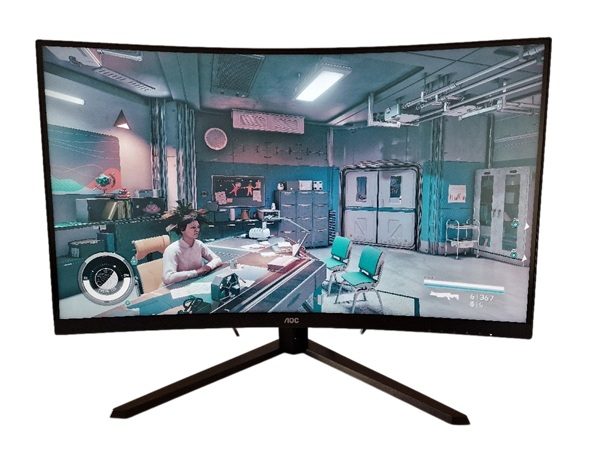
AOC CQ32G4VE
- 31.5″ VA panel
- 1500R curve
- 2560 x 1440 (QHD or 1440p)
- 180Hz (48 – 180Hz VRR, FreeSync + G-SYNC Compatible)
- 120Hz 1440p support for the Xbox Series X/S and PS5
- 120Hz 1080p and 60Hz ‘4K’ UHD (downsampling) support for the Xbox Series X and PS5
- 1ms grey to grey response time
- Basic HDR10 support
Additional points:
- Light matte anti-glare screen surface
- PWM-free (flicker-free) WLED backlight
- ~90% DCI-P3 colour gamut and 250 cd/m² peak luminance (>300 cd/m² measured)
- 2 HDMI 2.0 ports, DP 1.4, 3.5mm audio output
- Screen is tilt-only with 100 x 100mm VESA mounting supported
Why choose this monitor:
The AOC CQ32G4VE offers an immersive experience from its curved 31.5″ screen. We found the curve easy to adapt to, adding a subtle extra sense of depth without feeling unnatural. The effect is certainly exaggerated in photos and videos of the screen. The 2560 x 1440 (QHD or 1440p) resolution offers a reasonable pixel density without being too graphically taxing for many modern PCs. The high-contrast VA panel, fairly wide though not extreme gamut and strong colour consistency for the panel type help to deliver quite a vibrant image with pleasing shade variety. Meanwhile, the light matte anti-glare screen surface with fairly smooth finish offers a good mix of glare handling and clarity.
The monitor also offers a respectable level of pixel responsiveness for a VA panel, offering reduced ‘smeary’ trailing compared to most. As well as providing very low input lag. VRR support is offered via Adaptive-Sync, facilitating FreeSync and ‘G-SYNC Compatible’ – with relatively mild rather than strong ‘VRR flicker’. An MBR strobe backlight setting provides a good level of blur reduction without strong central strobe crosstalk and with configurable brightness levels. It can technically be used alongside VRR, but performs badly in that configuration. The monitor responds to HDR10 content, but the lack of proper HDR hardware and how it’s calibrated under HDR provides a lacklustre experience there. Regardless, this monitor offers a well-rounded SDR experience with attractive pricing.
Further reading:
MSI MPG 341CQR QD-OLED X36 (34″ 360Hz curved QD-OLED, 3440 x 1440)
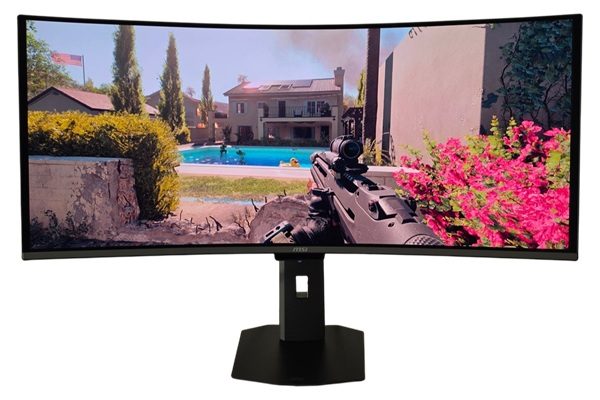
MSI MPG 341CQR QD-OLED X36
- 34″ OLED panel (Samsung Display QD-OLED Penta Tandem)
- 3440 x 1440 (UWQHD – 21:9 ultrawide)
- 360Hz (48 – 360Hz VRR, FreeSync Premium Pro + G-SYNC Compatible + HDMI 2.1 VRR)
- 120Hz 1440p and 1080p support for the Xbox Series X/S and PS5
- 120Hz ‘4K’ UHD (downsampling) support for the Xbox Series X and PS5
- 0.03ms grey to grey response time
- VESA DisplayHDR True Black 500
Additional points:
- Glossy screen surface with anti-reflective treatment
- PWM-free (‘flicker-free’) QD-OLED
- ~99% DCI-P3 (~95% Adobe RGB) colour gamut and 300 cd/m² (SDR) peak luminance
- ~1300 cd/m² HDR peak luminance
- 2 HDMI 2.1 ports, DP 2.1 (UHBR 13.5), USB-C (96W PD, DP Alt Mode, upstream data), 2 USB 3.0 ports (plus Type-B upstream) and a 3.5mm headphone jack
- Screen offers tilt, swivel and height adjustment with 100 x 100mm VESA support
Why choose this monitor:
The MSI MPG 341CQR QD-OLED X36 delivers a highly vibrant experience with exceptional contrast, particularly impressive when compared to LCDs in dimmer lighting conditions. The per-pixel illumination of the QD-OLED panel allows some pixels to ‘shut off’, others to remain nice and bright and others in between these extremes – delivering that exceptional contrast. The ~34″ 3440 x 1440 (21:9 aspect ratio) screen provides the usual ultrawide benefits, combined with a 1800R curve to draw you in a bit without feeling unnatural. The exceptional colour consistency of the OLED panel combined with a generous gamut provides vivid colour throughout the screen, with effective sRGB, DCI-P3 and Adobe RGB emulation settings to tone things down if you wish. The balanced spectrum coupled with Low Blue Light (LBL) settings help promote a more relaxing viewing experience, too. The monitor includes ‘DarkArmor Film’ which is claimed to provide “40% deeper blacks” (i.e. lightens up less in ambient light) and is “2.5x more scratch-resistant” compared to the earlier QD-OLED screen surfaces – we did notice significantly reduced lightening up in ambient lighting and easier cleaning of the screen.
A 360Hz refresh rate is supported, which is put to exceptionally good use thanks to the ‘visually flawless’ pixel response performance. This is combined with low input lag and VRR support via Adaptive-Sync for AMD FreeSync Premium Pro and Nvidia ‘G-SYNC Compatible’, alongside HDMI 2.1 VRR (full bandwidth HDMI 2.1 ports). The monitor provides an enjoyable HDR experience owing to its per-pixel illumination and ability to provide a brightness of up to ~1300 cd/m² for smaller bright elements. The generous gamut can be put to good use under HDR with 10-bit colour support, for a vibrant and dynamic experience. The ‘VESA DisplayHDR True Black 500’ compliant setting offers these benefits with reduced brightness peaks and accurate, consistent calibration. Unlike competing WOLED technology with an unfiltered white subpixel, the screen can provide strong saturation to very bright elements. This monitor provides a welcome evolution from earlier QD-OLED ultrawides when it comes to its screen surface, refresh rate and brightness capability. Some will also appreciate the highly configurable OSD, KVM support and the ‘AI Care Sensor’ which shuts the screen off when nobody is looking at it.
Further reading:
This list is heavily condensed; look out for the recommended or approved badge in our reviews as well. You can sort our reviews by badge status and various other features there.
As with all things in the wonderful world of displays, subjectivity is key and no monitor is perfect. The sort of experience somebody seeks will depend on the type of games they play, the level they play at, the power and capabilities of the system and of course their own personal preferences. Some will seek vibrant colours, some prefer strong contrast and others will specific features in mind such as HDR (High Dynamic Range) capability. A powerful PC will be able to make good use of high refresh rates and high resolutions at the same time. But if budget is more restricted or you’re gaming on a less powerful system it might be best to compromise on refresh rate, resolution or perhaps both of these. For consoles you’re more restricted when it comes to system capability. The likes of the Sony PS5 and Microsoft’s Xbox Series X/S support a 120Hz maximum refresh rate, which is generally considered a welcome upgrade over 60Hz.
Confused about the terminology? Check out our dedicated guide on the topic.